
ADHD Meeting Preparation Strategy: Your Practical Playbook
ADHD Meeting Preparation Strategy: Your Practical Playbook
TL;DR:
- A meeting preparation system for ADHD involves a simple, automated ritual linked to the calendar that reduces memory load. Using templates, scripts, and pre-planned behaviors helps maintain focus, capture tasks, and optimize participation during meetings. Implementing consistent routines and automation enables ADHD professionals to manage meetings more effectively despite cognitive challenges.
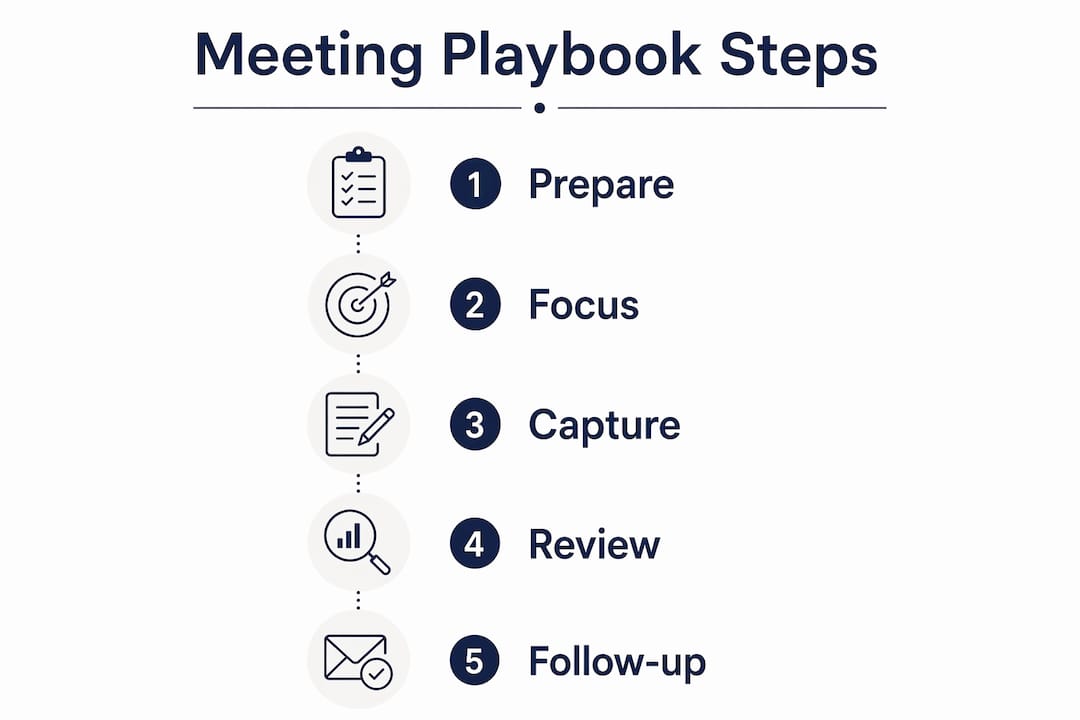
A meeting preparation strategy for ADHD is a short, calendar-linked system that front-loads automation and a 5–15 minute ritual so your setup does the remembering, not your working memory. Here is what to do right now:
Quick-start checklist:
- Set a one-sentence outcome for the meeting (“I need to leave knowing who owns X”)
- Open your meeting dashboard or note template before the call starts
- Request the agenda at least 48 hours ahead if you don’t have one
- Schedule auto-record and transcript capture
- Block 3 minutes after the meeting for action capture, before you open email
That’s the whole system in five lines. Everything below shows you how to build it, run it, and make it stick.
Table of Contents
- Why do standard meetings deactivate the ADHD brain?
- How do you build a personal meeting playbook?
- What does a 15-minute pre-meeting ritual look like?
- How do you stay present and focused during a meeting?
- What capture and retrieval system actually works for ADHD?
- How do you manage your energy and protect your meeting time?
- What scripts can you use in meetings you don’t control?
- Ready-to-use templates and scripts you can copy right now
- How does ADHD coaching help you build a durable meeting system?
- How do you manage impulsivity and improve listening focus in real time?
- How do you communicate ADHD-related needs to colleagues or supervisors?
- How do you review a meeting and make sure tasks actually get done?
- How do you reduce distractions before and during a meeting?
- How do you prepare mentally and physically before a meeting?
- Key Takeaways
- The meeting system nobody talks about honestly
- Ready to build your meeting playbook with support?
- Useful sources and further reading
Why do standard meetings deactivate the ADHD brain?
Workplace meetings rank among the top three most challenging situations for adults with ADHD. The format itself is the problem, not you.
A typical meeting fires several cognitive mismatches at once. Working memory gets overloaded when there is no agenda to offload context onto. The novelty-seeking brain rapidly evaluates whether the meeting has value and, finding none, checks out. Stimulus filtering breaks down in open-plan video calls with competing audio and visual input. Long status updates with no clear owner are essentially emails read aloud, and the ADHD brain knows it.
Concrete examples: a 60-minute all-hands with no agenda, a project update where five people talk but no one owns a decision, a virtual call where the host shares a 40-slide deck with no pre-read. Each one demands sustained passive attention with no participation hook. For an ADHD brain, that is the hardest possible cognitive mode.
How do you build a personal meeting playbook?
A personal meeting playbook is a dashboard plus a templated note plus pre-saved scripts, all linked to your calendar so it opens in one click. Front-loading setup means you configure it once and the system runs daily with minimal effort.
Step-by-step setup
- Create a meeting note template with these fields: meeting title, date, one-sentence outcome, two pre-questions, a two-column notes section (topic | your thoughts), and an action-capture block.
- Link the template to calendar events. In Notion, Obsidian, or Google Docs, create a shortcut or template button that opens a pre-filled note from the calendar invite.
- Set auto-record and transcript. Tools like Otter.ai or Fireflies.ai connect to Google Calendar or Outlook and record automatically. You don’t have to remember to press record.
- Create a consistent folder structure. One folder per client or project, with subfolders for meeting notes and transcripts. Name files by date and meeting type so search works instantly.
- Store your scripts. Paste your three go-to one-liners (agenda request, owner clarification, commitment deferral) into the template header so they are visible before every call.
Pro Tip: Set your template to open from a calendar event link, not a separate app. The fewer clicks between “meeting starts in 5 minutes” and “I have my notes open,” the more likely you are to actually use it.
The ADHD executive function challenge here is decision fatigue at the start of a meeting. A pre-filled template removes every micro-decision. You open it, you’re ready.

What does a 15-minute pre-meeting ritual look like?
This ritual works in either a 15-minute or a 5-minute version. Pick the one that fits your calendar buffer.
15-minute version
- Minutes 15–12: Check the agenda. If there isn’t one, send this message: “Hi [name], could you share a quick agenda or the main goal for today’s call? I want to come prepared.” Send it now, not later.
- Minutes 12–10: Write your one-sentence outcome. “I need to leave this meeting knowing [X].” One sentence only.
- Minutes 10–8: Open your meeting dashboard. Confirm auto-record is active. Check that your note template is loaded.
- Minutes 8–6: Write two hook questions you can ask during the meeting. These double as attention anchors.
- Minutes 6–4: Set your movement plan. Decide whether you will stand, use a discreet fidget, or take a 30-second stretch at the halfway point.
- Minutes 4–2: Tech check. Camera, mic, screen share if needed.
- Minutes 2–0: Two minutes of mental settling. Box breathing (4 counts in, 4 hold, 4 out, 4 hold) or a brief body scan. This is not optional if you are coming from a high-stimulation task.
5-minute version
- Open template, confirm record is on (1 minute)
- Write outcome and one question (2 minutes)
- Tech check and one breath cycle (2 minutes)
Medication and energy timing: If you take stimulant medication, schedule your most cognitively demanding meetings 60–90 minutes after your dose, when coverage is typically at peak. Protect that window. For energy management, see the brain-boosting food strategies that affect focus timing.
Calendar buffer tip: Add a 10-minute “prep” event before any meeting longer than 30 minutes. Block it as busy. Treat it as part of the meeting.
How do you stay present and focused during a meeting?
Attention anchors are specific, pre-planned behaviors that give your brain something to do while listening. They work because the ADHD brain needs a participation hook, not a passive reception mode.
Four anchors that work:
- Two-column notes. Left column: what is being said. Right column: your reactions, questions, or connections. The act of writing in two columns keeps your hand and brain engaged simultaneously.
- Pre-written questions. Write two questions before the meeting starts. Plan to ask at least one. Knowing you have a question to deliver creates a low-level engagement loop.
- Micro-movements. A pre-authorized movement plan — standing at the 20-minute mark, using a quiet fidget tool, or shifting posture — maintains arousal without drawing attention.
- Camera strategy in virtual meetings. Turning your camera on increases accountability and reduces the temptation to multitask. If you need camera off for sensory reasons, use a virtual background to reduce visual distraction from your environment.
Pro Tip: When you notice you’ve zoned out, re-engage by asking a clarifying question. “Could you say more about [last thing you caught]?” looks like engaged curiosity. It buys you 30 seconds to catch up and resets your attention.
The focus improvement strategies that work best for ADHD pair an external anchor (a question, a note, a movement) with a social cue, so the anchor looks like participation rather than coping.

What capture and retrieval system actually works for ADHD?
Relying on memory after a meeting is the single biggest source of dropped tasks for ADHD professionals. The fix is automation, not discipline.
Core stack:
- Calendar-triggered auto-recording. Otter.ai, Fireflies.ai, or Microsoft Teams’ built-in transcription can start automatically when a meeting begins. You configure it once.
- Full transcripts. A searchable transcript means you never have to remember a specific detail. You search for it.
- Organized folders. One folder per client or project. Files named by date. This takes 10 minutes to set up and saves hours of hunting.
- AI summaries. Most transcription tools generate a summary with action items. Review it in your 3-minute post-meeting window.
Automation-first systems reduce reliance on in-the-moment willpower. The goal is a setup where an off day doesn’t break your follow-through.
| Approach | Effort to maintain | Reliability for ADHD | Best for |
|---|---|---|---|
| Manual notes only | High (every meeting) | Low (willpower-dependent) | Short, low-stakes calls |
| Semi-automated (template + manual record) | Medium | Medium | Moderate meeting loads |
| Fully automated (auto-record, transcript, AI summary) | Low (setup once) | High | Heavy meeting loads, client work |
The fully automated approach is the right default for most ADHD professionals. Set it up on a Sunday afternoon and it runs itself.
How do you manage your energy and protect your meeting time?
Your meeting diet is the set of rules that protect your attention across the week, not just within a single call. Breaking long meetings into focused segments with movement breaks improves engagement for ADHD brains and benefits the whole team.
Meeting diet rules:
- Maximum 3 meetings per day on high-load days; 2 on recovery days.
- No more than 90 consecutive minutes in meetings without a 10-minute break.
- Protect one 90-minute deep-work block each morning. Mark it as busy.
- Schedule meetings during your peak medication or energy window when possible.
- Batch meetings on 2–3 days per week to protect full deep-work days.
Scripts for protecting your calendar (no diagnosis required):
- “I have a hard stop at [time]. Can we keep this to 30 minutes?”
- “I work best with a short agenda in advance. Could you send one by [day]?”
- “I’m heads-down on [project] Tuesday mornings. Wednesday afternoon works better for me.”
For a realistic day layout: on a high-energy day, schedule one focused meeting at 10 AM and one at 2 PM, with deep work from 8–9:30 AM and 11 AM–1 PM. On a low-energy day, one meeting maximum, preferably mid-morning.
What scripts can you use in meetings you don’t control?
You can’t always design the meeting. You can always control your participation and follow-up.
One-sentence scripts for real-time use:
- Confirming ownership: “Just to confirm, [name] is taking that action by [date]?”
- Last-30-seconds recap: “Before we close, can we do a 30-second round of who owns what?”
- Deferring commitment: “I want to give that a proper answer. Can I confirm after I check my current workload?”
- Re-engaging after zoning out: “Could you say more about that last point? I want to make sure I have it right.”
Post-meeting follow-up template (use within 30 minutes):
Send a brief email or message to the group:
“Thanks for the call. Here’s what I captured: [Decision 1] — owned by [name], due [date]. [Decision 2] — owned by [name], due [date]. Let me know if I missed anything.”
This serves two purposes. It confirms your understanding and it creates a written record that protects you if tasks get disputed later.
Influencing meeting design without naming ADHD: Suggest improvements as team benefits. “An agenda 24 hours ahead helps everyone come prepared.” “A 2-minute recap at the end saves follow-up emails.” Both are true, and both help you.
Ready-to-use templates and scripts you can copy right now
Meeting note template
- Title: [Meeting name]
- Date: [Date]
- Outcome I need: [One sentence]
- My two pre-questions: 1. [Question] 2. [Question]
- Notes: Topic | My thoughts/questions (two columns)
- Action block: Task | Owner | Due date
- Follow-up sent? [ ]
Three one-line scripts
- Requesting agenda: “Could you share a quick agenda before our call? Even bullet points help me come prepared.”
- Clarifying owner: “Who is taking that forward, and by when?”
- Deferring commitment: “Let me check my current priorities and confirm by [day].”
Customizing for your role
- If you lead meetings: Add a “parking lot” field to your template for off-topic items. Use the recap script at the close of every meeting you run.
- If you are a participant: Focus on the action block. Your job is to leave knowing your one task and its deadline.
Filled example: Title: Client check-in. Outcome: Confirm Q3 deliverable dates. Pre-question 1: Has the scope changed since last month? Pre-question 2: Who approves the final draft? Action: Send revised timeline by Friday. Owner: Me.
How does ADHD coaching help you build a durable meeting system?
Knowing a strategy and consistently using it are two different problems. ADHD coaching accelerates behavior change by providing accountability, habit scaffolding, and real-time troubleshooting when templates stop working.
A coaching engagement typically works like this: you identify the one or two meeting situations that cost you the most (forgotten actions, zoning out in long calls, over-committing in the moment). A coach helps you build a specific response for each, test it across three meetings, and adjust based on what actually happened, not what you planned.
Estelle-rose’s ADHD organization strategies and coaching resources are built around exactly this kind of small, measurable experiment. The ADHD workbook for women includes structured exercises for building meeting rituals and follow-through systems.
A short coaching engagement of 4–6 sessions typically produces one reliable pre-meeting ritual, one capture system that runs automatically, and a set of scripts the client actually uses.
How do you manage impulsivity and improve listening focus in real time?
Impulsivity in meetings usually shows up as interrupting, over-committing, or saying yes before you’ve thought it through. Listening focus breaks down when passive attention is required for more than 10–15 minutes without a participation hook.
For impulsivity:
- Write the thought down instead of saying it immediately. A sticky note or the right column of your two-column notes captures the impulse without derailing the meeting.
- Use the deferral script before committing to anything: “Let me confirm that fits my current workload.”
- Set a personal rule: no new commitments in a meeting. All commitments get confirmed in writing afterward.
For listening focus:
- Ask one question every 15 minutes. It doesn’t have to be profound. It keeps you in the loop.
- Use the two-column note method. Writing activates a second processing channel and reduces the chance of zoning out.
- If you lose the thread, use the re-engagement script rather than pretending you followed along.
The daily focus strategies that support in-meeting listening are the same ones that support any sustained attention task: reduce competing stimuli before the meeting starts, have a participation goal, and use a physical anchor.
How do you communicate ADHD-related needs to colleagues or supervisors?
You are not required to disclose your diagnosis to request reasonable accommodations. Most ADHD-friendly meeting adjustments benefit everyone on the team.
What to ask for, and how:
- “I do my best thinking when I have materials in advance. Could we share agendas 24 hours ahead as a team norm?” Requesting materials 48 hours in advance is a standard cognitive-load management practice, not an ADHD-specific ask.
- “I find it easier to contribute when I know the meeting goal upfront. Could we add a one-line objective to each invite?”
- “I process better in writing. Would it be okay if I send a brief follow-up summary after our calls?”
If you do choose to disclose, frame it around performance and solutions, not limitations. “I have ADHD, which means I work best with written agendas and a clear action summary. Here’s what I’ve found helps.” Most managers respond well to a person who knows what they need and asks for it directly.
For formal workplace accommodations in the U.S., the Americans with Disabilities Act covers ADHD as a qualifying condition. Your HR department or an occupational health advisor can guide the formal process.
How do you review a meeting and make sure tasks actually get done?
A 2–3 minute immediate action capture before opening email is the highest-return habit for ADHD working memory. Do it before you do anything else.
Post-meeting review steps:
- Open your meeting note. Read the action block.
- Add each task to your task manager (Todoist, Things 3, or a paper list) with a specific due date. Vague entries like “follow up on project” disappear. “Send revised timeline to [name] by Friday” does not.
- Send your follow-up summary email if the meeting had shared decisions.
- Close the note. Archive it in the correct folder.
- Set a calendar reminder for any task due more than 3 days away.
The whole loop takes 3 minutes if your template is already filled. It takes 20 minutes if you try to reconstruct the meeting from memory two hours later.
Accountability layer: Tell one person your one task from the meeting. An ADHD accountability partner or a brief Slack message to a colleague creates external follow-through pressure without requiring willpower.
How do you reduce distractions before and during a meeting?
The meeting environment is a variable you can control more than you think.
Before the meeting:
- Close every browser tab not related to the meeting. Use a browser extension like OneTab to save and close tabs in one click.
- Silence phone notifications. Put the phone face-down or in another room.
- Set your status to “in a meeting” on Slack or Teams to reduce incoming messages.
- Clear your physical desk of anything unrelated to the call. Visual clutter competes for attention.
During the meeting:
- Use a single-window view. Full-screen your video call or your note template. Not both on split screen.
- Keep your note template open and visible. Having something to write in reduces the pull toward other tabs.
- For in-person meetings, sit near the front or near the facilitator. Distance from the speaker increases the chance of zoning out.
- If background noise is a problem in a virtual call, use noise-canceling headphones. The sensory reduction is significant.
How do you prepare mentally and physically before a meeting?
Physical and mental state at the start of a meeting determines how much of your preparation actually gets used.
Breathing and grounding (2–3 minutes):
Box breathing is the most reliable quick-reset: 4 counts in, 4 hold, 4 out, 4 hold. Two cycles lower physiological arousal and improve prefrontal cortex access. Do this in the last 2 minutes of your pre-meeting ritual.
Movement:
A 5-minute walk before a meeting increases dopamine and norepinephrine availability. Even standing up and doing 10 slow shoulder rolls has a measurable effect on alertness. Schedule movement into your calendar buffer, not as an afterthought.
Mindfulness check-in:
A 60-second body scan (notice tension in shoulders, jaw, hands; release it) reduces the carryover stress from the previous task. ADHD brains often arrive at meetings still processing the last thing they were doing. The check-in creates a clean transition.
Physical setup:
Water on the desk. A snack if the meeting runs through a meal window. Comfortable temperature. These are not luxuries; they are attention supports. Hunger and dehydration measurably reduce executive function.
Key Takeaways
A meeting preparation strategy for ADHD works when it is automated, templated, and ritual-based, so the system carries the cognitive load your working memory cannot.
| Point | Details |
|---|---|
| Automate before you optimize | Set up calendar-triggered recording and a linked note template once; daily effort drops to near zero. |
| Run the 5–15 minute ritual | Open template, set outcome, confirm record, write two questions, and do one breath cycle before every meeting. |
| Capture actions in 3 minutes | Immediately after the meeting, log tasks with names and due dates before opening email or Slack. |
| Use scripts, not improvisation | Pre-written one-liners for agenda requests, owner confirmation, and commitment deferral reduce impulsive responses. |
| Estelle-rose coaching | A short coaching engagement builds one reliable ritual and one automated capture system, tested across real meetings. |
The meeting system nobody talks about honestly
Here is what most productivity guides skip: the hardest part of any meeting system is not building it. It’s using it on a Tuesday when you slept badly, your medication timing was off, and you have four back-to-back calls.
That’s not a discipline failure. That’s an ADHD brain under load. The entire point of front-loading automation is that your system still runs on those days. The recording starts without you pressing a button. The template is already open. The scripts are already written.
Flexible rhythms beat rigid routines every time for ADHD brains. A ritual you do 70% of the time is infinitely more useful than a perfect system you abandon after two weeks. The goal is not flawless execution. The goal is a floor you can return to.
Pick one technique from this article. Run it for three meetings. Notice what changed. That’s the experiment. Not a life overhaul. Three meetings.
Ready to build your meeting playbook with support?
If reading this article made you think “I know what to do, I just can’t make myself do it consistently,” that’s exactly what coaching addresses.
Estelle-rose works with ADHD adults, including self-employed professionals and creatives, to build personalized meeting systems that hold up under real workload. A short engagement focuses on one or two specific meeting situations, builds a tested ritual around them, and sets up the automation so follow-through doesn’t depend on willpower. Most clients leave with a working capture system, a pre-meeting ritual they actually use, and fewer forgotten tasks.
The adult ADHD executive function program is the right starting point if meeting reliability and follow-through are your main challenges. If you prefer to start with a structured self-study resource, the ADHD books and workbooks include exercises built specifically for meeting preparation and organizational habits.
Book a discovery call or browse the resources to find the right entry point for where you are right now.
Useful sources and further reading
- How to Survive Meetings with ADHD, UpOrbit — Practical system guidance on pre-meeting rituals, action capture, and the Biederman et al. workplace finding. Start here for the core playbook framework.
- ADHD-Friendly Meeting Documentation: A Complete System, Magnative — Detailed setup guide for calendar-triggered recording, folder structures, and AI summaries. Use this to build your automation stack.
- ADHD Meeting Mastery: 6 Executive Strategies, TandemCoach — Coaching-backed strategies including the 48-hour agenda request, energy chunking, and the meeting-as-system-design reframe.
- Long Meetings With ADHD: How to Stay Engaged Without Melting Down, Nerdyssey — Practical guidance on the 5-minute pre-brief and two-column active notes as engagement anchors.
- Designing Personalized ADHD-Friendly Systems, Psychology Today — The research-backed case for rhythms over rigid routines; useful for the perspective section and countering perfectionism.
- Estelle-rose: Adult ADHD Executive Function — Estelle’s primary coaching resource for building meeting systems, follow-through habits, and executive function support. The recommended next step for readers who want personalized help.

